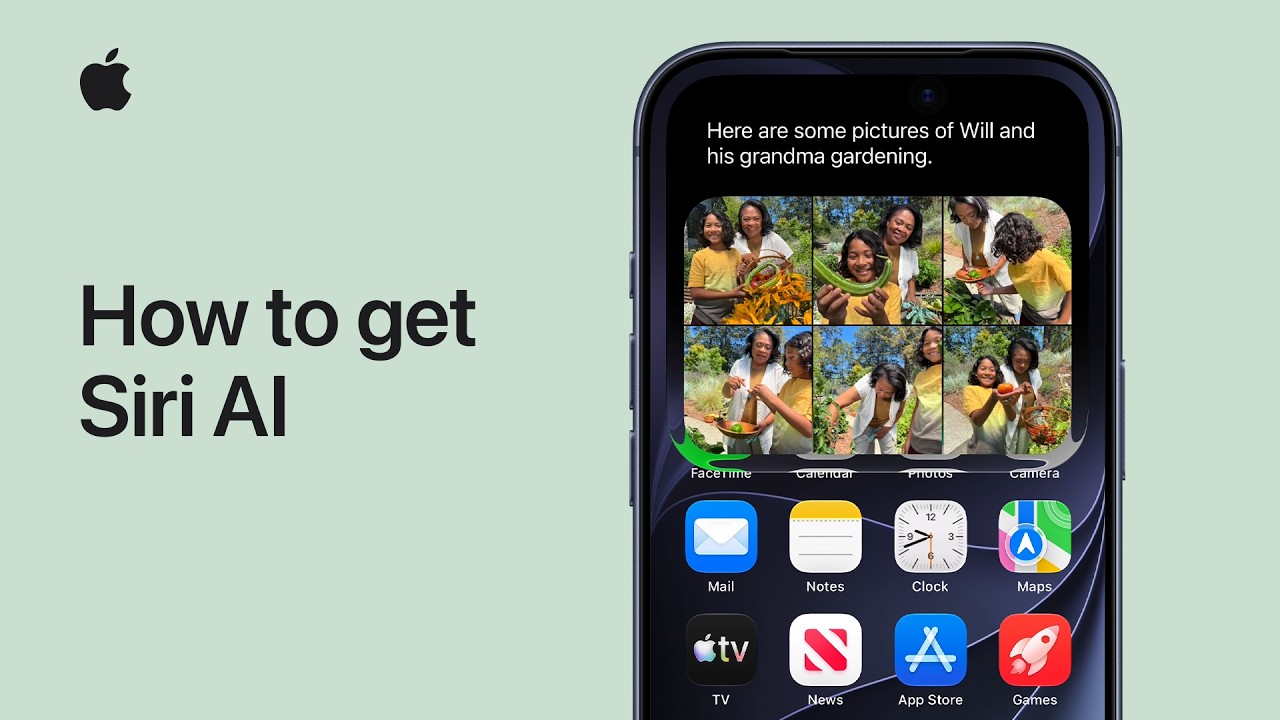
Apple this week released iOS 27 following around three months of beta testing. If you just installed the software update on your iPhone, you might be wondering where the new-and-improved Siri AI and dedicated Siri app are. In case you missed it, you must join Apple's waitlist in order to gain access to these new features.
Keep in mind that while iOS 27 is compatible with the iPhone 11 and newer, Siri AI is limited to the iPhone 15 Pro and newer. This is because Siri AI requires an iPhone model that is compatible with Apple Intelligence, which we have listed below.
Fortunately, joining the Siri AI waitlist is a simple task:
Open the Settings app on your iPhone.
Tap on the Siri menu.
Tap on Try Siri AI (Beta).
Follow the prompts.
Wait times seem to vary, with some users receiving access to Siri AI within a few minutes of signing up and others having to wait a few hours or even days.
You will receive a notification on your iPhone once you have received access to Siri AI, and the Siri app will automatically appear on your device at that time. You can talk or type to Siri AI in three ways: swipe down on your iPhone's Dynamic Island, press and hold your iPhone's side button to invoke the assistant, or open the Siri app.
The classic version of Siri has always been useful for basic actions like setting a timer and checking the weather, but it has notoriously struggled with more advanced requests over the years. Siri AI is much more intelligent and personalized: it is essentially a ChatGPT-like version of Siri that can respond to most questions.
Siri AI can draw on your personal information stored on your iPhone, has on-screen awareness, and can perform actions in more apps that support it.
The new Siri is limited to English to start, but Apple said support for French, Japanese, Korean, Portuguese, and Spanish will be available in October, likely as part of the release of iOS 27.1. Apple said Siri AI has unspecified daily usage limits, but it noted that expanded access will be coming with select iCloud+ plans.
Siri AI is not available in the EU on iOS 27, iPadOS 27, and watchOS 27 at launch, as Apple is in a regulatory battle with the European Commission.
The following iPhone models are compatible with Siri AI:
iPhone 18 Pro
iPhone 18 Pro Max
iPhone Duo
iPhone 17e
iPhone 17
iPhone 17 Pro
iPhone 17 Pro Max
iPhone Air
iPhone 16e
iPhone 16
iPhone 16 Plus
iPhone 16 Pro
iPhone 16 Pro Max
iPhone 15 Pro
iPhone 15 Pro Max
You can adjust Siri AI's pace and expressivity on these iPhone models:
iPhone 18 Pro
iPhone 18 Pro Max
iPhone Duo
iPhone 17 Pro
iPhone 17 Pro Max
iPhone Air
Apple still considers Siri AI to be in beta even though iOS 27 is no longer in beta overall.
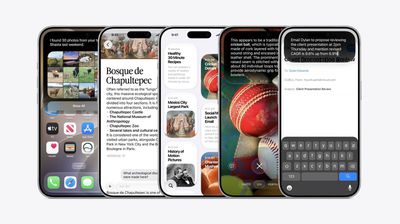
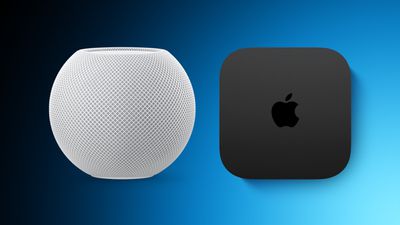
Apple TV and HomePod mini orders continue to face extended shipping delays on Apple's online store in the U.S., amid endless rumors about new models coming later this year. These shortages have been occurring on and off for more than a year.
Three examples today: estimated delivery dates for the Apple TV with 64GB of storage are pushing into October, the HomePod mini in orange is currently unavailable to order, and the HomePod mini in yellow is facing a November delivery estimate.
Apple began pre-orders for its new Apple Watch Series 12 and Apple Watch Ultra 4 last week, and today Amazon has introduced a few more early discounts on these models.
Note: MacRumors is an affiliate partner with some of these vendors. When you click a link and make a purchase, we may receive a small payment, which helps us keep the site running.
Apple Watch Series 12
Apple Watch Series 12 models are up for pre-order on Amazon today, starting at $389.99 for 42mm GPS devices ($9 off) and $439.99 for 46mm GPS devices ($9 off). These will launch on September 18, and as of writing only the Black Aluminum Case with Black Sport Band 42mm GPS model is on sale.
If you're interested in the cellular models of the Apple Watch Series 12, the 42mm Cellular Series 12 is available for pre-order at $489.99, down from $499.00. This is for the new Dark Bronze Aluminum Case with Olive Sport Band.
You can also pre-order the new Titanium Apple Watch Series 12 models starting at $679.00 ($20 off), and the Ceramic model is available for $929.00 ($20 off).
Apple Watch Ultra 4
The Apple Watch Ultra 4 is available for pre-order on Amazon for $779.99 in the Natural Titanium Case with Translucent Gray Ocean Band. This device will launch on September 18, alongside the Series 12 and AirPods 5.
If you're on the hunt for more discounts, be sure to visit our Apple Deals roundup where we recap the best Apple-related bargains of the past week.
Deals Newsletter
Interested in hearing more about the best deals you can find in 2026? Sign up for our Deals Newsletter and we'll keep you updated so you don't miss the biggest deals of the season!
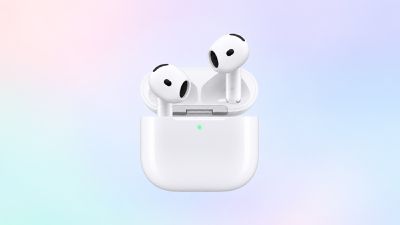
Amazon has introduced the first pre-order discount you can get for the brand new AirPods 5, available for $124.99, down from $129.00. While only a $4 markdown, it's notable for being the first ever deal we've tracked on the base model of the AirPods 5.
Note: MacRumors is an affiliate partner with some of these vendors. When you click a link and make a purchase, we may receive a small payment, which helps us keep the site running.
You can also pre-order the AirPods 5 with Wireless Charging Case for $149.00, but there's no discount on this one. The AirPods 5 will launch this Friday, September 18.
Amazon also currently has a solid deal on the AirPods Max 2, available for $449.00, down from $549.00. If you're on the hunt for more discounts, be sure to visit our Apple Deals roundup where we recap the best Apple-related bargains of the past week.
Deals Newsletter
Interested in hearing more about the best deals you can find in 2026? Sign up for our Deals Newsletter and we'll keep you updated so you don't miss the biggest deals of the season!
Apple has updated its U.S. trade-in estimates, cutting values for every eligible iPhone while raising them across the iPad and Mac lineups.
The refresh follows the announcement of the iPhone 18 Pro and iPhone Duo. Their predecessors now appear on Apple's trade-in list for the first time, led by the iPhone 17 Pro Max at up to $885. The iPhone Air is valued at $585, exactly the same as the standard iPhone 17, despite having launched at a $200 higher price:
iPhone 17 Pro Max: $885
iPhone 17 Pro: $785
iPhone Air: $585
iPhone 17: $585
The update is also the first to run under Apple's new condition grading system, which is now live. Devices with minor cosmetic defects such as small chips in the display glass were previously treated much like those with far more serious damage, resulting in a similarly steep cut to their value. As we reported last week, Apple now applies more granular tiers that better reflect a device's actual condition, and no device receives less than it would have under the old system.
Every other iPhone on the list lost value. The iPhone 16 Pro saw the steepest cut in percentage terms at 19%, while the iPhone 16 Pro Max lost the most in absolute terms, falling $110 barely a month after Apple raised it to $720:
iPhone 16 Pro Max: $720 to $610
iPhone 16 Pro: $630 to $510
iPhone 16 Plus: $485 to $430
iPhone 16: $480 to $430
iPhone 16e: $310 to $270
iPhone 15 Pro Max: $530 to $455
iPhone 15 Pro: $420 to $370
iPhone 15 Plus: $340 to $315
iPhone 15: $335 to $305
iPhone 14 Pro Max: $405 to $360
iPhone 14 Pro: $335 to $285
iPhone 14 Plus: $235 to $210
iPhone 14: $235 to $195
iPhone SE (3rd generation): $85 to $75
iPhone 13 Pro Max: $340 to $320
iPhone 13 Pro: $285 to $255
iPhone 13: $205 to $175
iPhone 13 mini: $155 to $145
iPhone 12 Pro Max: $240 to $210
iPhone 12 Pro: $195 to $165
iPhone 12: $135 to $120
iPhone 12 mini: $90 to $80
iPhone SE (2nd generation): $45 to $40
iPhone 11 Pro Max: $160 to $140
iPhone 11 Pro: $145 to $125
iPhone 11: $110 to $100
iPhone XS Max: $95 to $85
iPhone XS: $70 to $60
iPhone XR: $90 to $75
iPhone X: $60 to $50
iPhone 8 Plus: $40 to $35
The Apple Watch followed the same pattern. The Apple Watch Ultra 3 joins at $430, well clear of any other watch Apple accepts, with the Apple Watch Series 11 at $200 and the Apple Watch SE (3rd generation) at $115. Only the two older Apple Watch SE models held their value, at $60 and $30 respectively:
Apple Watch Ultra 2: $305 to $265
Apple Watch Ultra: $205 to $190
Apple Watch Series 10: $165 to $150
Apple Watch Series 9: $135 to $115
Apple Watch Series 8: $95 to $90
Apple Watch Series 7: $70 to $65
Apple Watch Series 6: $45 to $40
The iPad and the Mac moved decisively the other way, with every model gaining value. The iPad Pro climbed almost 26%:
iPad Pro: $720 to $905
iPad Air: $490 to $510
iPad mini: $300 to $320
iPad: $260 to $280
The Mac saw the largest increases anywhere in the update, continuing a run that has nearly doubled some trade-in estimates since the spring. The MacBook Pro has risen from $690 in May to $1,315 today, while the Mac mini is up 65% over the same period of time:
MacBook Pro: $855 to $1,315
MacBook Air: $580 to $705
Mac mini: $480 to $620
Mac Studio: $1,305 to $1,460
iMac Pro: $315 to $340
iMac: $380 to $385
The Mac Pro was the only Mac left untouched, holding at $2,195 and keeping the top of Apple's trade-in range where it has sat since August.
Android estimates were largely static, with four small reductions and a single increase for the Google Pixel 7:
Google Pixel 9 Pro XL: $315 to $290
Google Pixel 9 Pro: $305 to $275
Google Pixel 9: $210 to $200
Google Pixel 8 Pro: $155 to $150
Samsung Galaxy S22+ 5G: $85 to $80
Samsung Galaxy S22 5G: $85 to $80
Samsung Galaxy S21+ 5G: $75 to $70
Google Pixel 7: $60 to $65
The Samsung Galaxy S22 Ultra 5G, Samsung Galaxy S21 Ultra 5G, Samsung Galaxy S21 5G, Google Pixel 8, Google Pixel 8a, Google Pixel 7 Pro, OnePlus 13, OnePlus 13R, OnePlus 12, and OnePlus 12R all held at the same trade-in prices.
As always, Apple's listed values are estimates, with the company noting that final offers can vary based on a device's condition and configuration, and that not all devices are eligible for trade-in credit.
Apple Wallet car keys are coming to three more vehicle brands, including Lincoln, Lucid Motors, and China's Freelander, according to code uncovered by MacRumors contributor Aaron Perris. However, the code does not provide a timeframe for availability.
The digital key feature allows you to lock, unlock, and start a compatible vehicle with an iPhone or Apple Watch. It is already offered by select automakers, including Audi, BMW, Hyundai, Kia, Genesis, Mercedes-Benz, Volvo, and others.
In a move that should be welcomed by parents and guardians of young children, Spotify has announced a new feature that lets you keep kids' and family music played on the service out of your taste profile.
Starting today, Spotify is rolling out a new toggle in the app's settings that prevents kids' music from affecting your personalized recommendations. This includes, for example, songs you play on repeat from your kids' favorite animated movies, theme songs from family TV shows, nursery rhymes, and more.
When you turn the new setting off, you can still search for, listen to, and build playlists of kids and family music, but those streams won't affect what Spotify suggests for you.
In other words, things like Discover Weekly, Daily Mix, and Wrapped will more accurately reflect your taste. Not only that, the setting applies retroactively, so kids music you've already listened to won't count toward your Wrapped top song or artist, for example.
The following steps show you how to turn it off in the Spotify app on iOS and Android:
Navigate to Settings and privacy by tapping your profile picture in the top-left corner.
Select Content and display.
Switch off the toggle next to Include kids and family music in taste profile.
Spotify says it may take up to 48 hours for these changes to be reflected in your personalized recommendations.
Apple TV shows swept the board at the 78th Primetime Emmy Awards last night as the streaming service received 29 wins overall to become the most awarded network of the year.
It was Apple TV's best-ever Emmy Awards haul, thanks to the likes of Widow's Bay, Pluribus, Slow Horses, Margo's Got Money Troubles, Palm Royale, and Mr. Scorsese.
Widow's Bay was the most awarded show of the night, sweeping all major categories with 14 wins in total, including Outstanding Comedy Series. It becomes the most Emmy-awarded comedy series of all time. The show also took the most awards for a comedy series in a single season.
Elsewhere, Pluribus won Outstanding Lead Actress in a Drama Series for Rhea Seehorn and Outstanding Writing for a Drama Series for Vince Gilligan, while drama Slow Horses won Outstanding Directing for a Drama Series for Saul Metzstein.
Apple TV has now reached most Emmy-awarded network status faster than any other streaming service over seven Emmy seasons. It's also now home to the most Emmy-awarded series for the second year in a row, following last year's wins for The Studio. Apple TV has won Outstanding Comedy Series awards for four of the last six years, thanks to Ted Lasso, The Studio, and now Widow's Bay.
See Apple's press release to learn more about every win Apple TV received on the night.
12 years ago today, Apple published a web page with one job: to make a U2 album go away. On September 9, 2014, at Apple's iPhone 6 event, Tim Cook revealed that "Songs of Innocence" would be given to every iTunes customer for nothing. The album was directly linked to accounts, and devices set to "download automatically" got it without asking.
Complaints quickly followed, and on September 15, Apple was forced to respond with a one-click page that stripped the album from accounts. Users were given a month to reinstall it at no cost. Apple said 26 million people ultimately downloaded the full album. Bono apologized a month later. The web tool is no longer active, but an archive of the support page is available here.
If you have installed iOS 27 on your iPhone or iPadOS 27 on your iPad (download it via Settings ➝ General ➝ Software Update), Apple left a fun little easter egg for you to discover.
Open the Settings app, then tap through to Appearance ➝ Liquid Glass. Scroll to the bottom of the "Welcome to Apple Park" sample images, and when you hit the last image, keep dragging up with your finger until the word "Moof!" appears in the search bar overlay and the image changes.
Say hello to Clarus. A bitmap image of the famous dogcow was originally used to demonstrate page layout in the classic Mac OS, indicating to users which orientation the paper would be in when it was printed. The original glyph it was based on was created by Susan Kare for the Cairo dingbat font that came with the original Mac in 1984, but it became the official mascot of Apple's Developer Technical Support.
When Apple was a fledgling company, Mac developers regularly left fun little Easter eggs in software, but not so much these days. While surprises can still be found, they are a lot more subtle, and exist more as a nod and wink to Apple's origins rather than anything edgy or unauthorized. If you're interested, several have been found in macOS over the years.
Initial wait times for Apple's iPhone 18 Pro models in the pre-order phase are "lukewarm," according to GF Securities analyst Jeff Pu, who has subsequently trimmed his production estimates for both the company's Pro lineup and the foldable iPhone Duo.
iPhone 18 Pro pre-orders opened on September 12 in the U.S. and many other countries, and there's now a 3-4 week wait time for iPhone 18 Pro Max models with 256GB and 512GB storage across all colors in the U.S., as well as for Burgundy 1TB models. Elsewhere, Pu cites 2-3 weeks for the Pro Max in Glacier across 256GB and 512GB options in China.
Otherwise, Pu sees initial demand less strong for the Black and Glacier 1TB Pro Max models, quoting 1-2 weeks wait times in the U.S. Meanwhile, the 1TB Pro Max option in Silver, most 2TB Pro Max configurations, and nearly every iPhone 18 Pro model are available immediately on launch day this Friday, with Burgundy 256GB pre-orders the only iPhone 18 Pro exception.
Pu believes the softer-than-expected demand is due to limited spec upgrades and higher pricing, particularly for the larger storage tiers. The iPhone 18 Pro starts at $1,199 in the U.S. and the iPhone 18 Pro Max starts at $1,299, with prices as high as $2,399 and $2,499 for the 2TB models, respectively.
Pu also expects the iPhone 18 Pro Max to lose some buyers to the iPhone Duo, whose pre-orders begin on October 16, with availability from October 23. Prices for the Duo start at $1,999 for the 256GB model, rising to $3,199 for the 2TB option.
On the supply side, Pu has lowered his iPhone 18 Pro and Pro Max production estimate to 72 million units because of constraints associated with the new variable aperture camera. Pu also separately cut his 2026 build estimate for the iPhone Duo from 7 million units to 6 million, which he puts down to production challenges with the hinge.
Pu's latest investor note maintains a Hold rating on Apple, with a $369 price target.
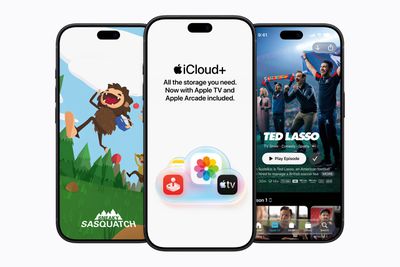
Apple today announced a new subscription initiative that turns paid iCloud+ subscriptions into a broader services bundle in more than 100 countries.
In select countries, Apple says every paid iCloud+ plan, including the cheapest 50GB tier, now includes Apple TV and Apple Arcade "at no additional cost," while family sharing extends the storage, TV and Arcade access to up to five people.
The initiative does not include the U.S., Canada, Australia, nor is it offered in the UK and other European markets, but it is clearly more than a promotional offer, since Apple TV and Apple Arcade will stop being sold as individual subscriptions through Apple in countries where it has launched. Apple says existing standalone subscriptions will be cancelled as customers transition to access through iCloud+, while Arcade saves and game progress are preserved.
Countries where Apple is launching the new iCloud+ bundle include the following:
Albania
Algeria
Angola
Anguilla
Antigua and Barbuda
Armenia
Azerbaijan
Bahamas
Bahrain
Barbados
Belize
Benin
Bermuda
Bhutan
Bosnia and Herzegovina
Botswana
British Virgin Islands
Burkina Faso
Cameroon
Cape Verde
Cayman Islands
Chad
Côte d'Ivoire
Democratic Republic of the Congo
Dominica
Egypt
Eswatini
Fiji
Gabon
Gambia
Georgia
Ghana
Grenada
Guinea-Bissau
Guyana
India
Iraq
Israel
Jamaica
Jordan
Kazakhstan
Kenya
Kosovo
Kuwait
Kyrgyz Republic
Lebanon
Liberia
Libya
Madagascar
Malawi
Maldives
Mali
Mauritania
Mauritius
Micronesia
Moldova
Montenegro
Montserrat
Morocco
Mozambique
Namibia
Nauru
Nepal
Niger
Nigeria
North Macedonia
Oman
Pakistan
Palau
Papua New Guinea
Qatar
Republic of the Congo
Rwanda
Saint Kitts and Nevis
Saint Lucia
Saint Vincent and the Grenadines
São Tomé and Príncipe
Saudi Arabia
Senegal
Serbia
Seychelles
Sierra Leone
Singapore
Solomon Islands
Sri Lanka
Suriname
Tajikistan
Tanzania
Tonga
Trinidad and Tobago
Tunisia
Türkiye
Turkmenistan
Turks and Caicos
Uganda
Ukraine
United Arab Emirates
Uzbekistan
Vanuatu
Yemen
Zambia
Zimbabwe
Apple says existing iCloud+ subscribers in these countries will "automatically gain access" to TV and Arcade, while someone subscribing individually to TV or Arcade but not iCloud+ will be notified that they are now subscribed to iCloud+, and their old standalone subscription will be cancelled.
What's particularly interesting is that Apple One is effectively being wound down in these markets. New customers will no longer be able to subscribe, although existing Apple One subscribers can keep their plans. It's a clear sign that Apple is shifting away from Apple One toward iCloud+ in smaller markets.
"We're excited to bring Apple TV and Apple Arcade to iCloud+ users in over 100 countries in one convenient subscription," said Eddy Cue, Apple's senior vice president of Services and Health. "iCloud+ users can now securely store and share personal content across their devices, enjoy the absolute best in original storytelling from Apple TV, and explore an incredible lineup of hundreds of games through Apple Arcade."
As part of the iCloud+ changes, Apple is also including an additional service called Apple Music Select that offers ad-free Apple-curated music stations. The stations are included to entice iCloud+ subscribers to upgrade to full Apple Music at a discounted monthly rate. For example, Apple's Mozambique announcement quotes $2.79/month for Individual and $4.49/month for Family plans.
With the introduction of iCloud+ with Apple TV and Apple Arcade, Apple TV is also expanding to 59 new countries, making the streaming service now available in 170 countries across the globe.
When iOS 27 first came out back in June, we started working on a series of in-depth feature guides and how tos that go through all of the updates in Apple's new software.
Our ultimate guide aggregates all of our iOS 27 coverage, and it is useful for iPhone and iPad users new to iOS 27 or those who might want a recap on what's included. We've organized it by feature to make it easy to find what you're looking for.
We have a complete overview of all of the new features in iOS 27 in one place in our iOS 27 roundup, which is also well worth checking out for all of the smaller details that didn't make it into our guides and how tos.
Apple released macOS Golden Gate to the public today, which means anyone with a compatible Mac can download it. The new version of macOS requires an Apple chip, so if you have a Mac with an M1 or later or a MacBook Neo, you can upgrade.
macOS Golden Gate includes Siri AI, and the Mac is the only device that people in the EU can try Siri AI with. It also brings a long list of performance improvements, updates to Liquid Glass, and new Apple Intelligence features for apps like Photos, Calendar, Reminders, Home, and Safari.
Liquid Glass
Apple added a Liquid Glass slider in macOS 27, which means you can adjust the transparency level. You can select a clearer version of Liquid Glass that lets some of the background show through, or a more opaque version for improved legibility. Since it's a slider, you can also pick something in between.
Apple tweaked the overall opacity of Liquid Glass, and it better diffuses complex content behind navigation bars and buttons. Darkened edges and brighter specular highlights add more depth and separation for different UI elements.
Toolbars, Sidebars, and Windows
Uniform toolbars in apps make text headings and groups of controls more legible, and Apple has cut back on the number of icons that are used in menu interfaces. Windows have the same corner radius for more consistency, and you'll notice that app corners are not as dramatically rounded.
Changes to window shadows and the Liquid Glass updates make it a lot easier to tell which window is active when you have several apps open.
Sidebars no longer float and are edge-to-edge, which is a less distracting design. Sidebar icons once again use color, too.
Siri AI
Siri AI is the biggest change in macOS Golden Gate. Siri is smarter, more capable, and functions like a chatbot. On the Mac, you can ask Siri anything using the Spotlight interface that comes up with Command + Space. Spotlight is now a unified "Search or Ask" bar where you can search for files, apps, and other content, or ask Siri to complete tasks or answer queries.
You can also interact with Siri using the dedicated Siri app, which is where you can view past conversations and start new conversations. Siri conversations sync across all of your devices, and the Siri app is cross-platform.
Siri can see what's on your screen and access your personal information like emails, messages, and photos to answer questions. Siri can also search the web and complete tasks in apps for you. It's a huge change from the prior version of Siri, and Siri can handle far more than it could before.
We have more on some of the tasks you can complete with Siri in our Siri AI guide.
Visual Intelligence
Apple brought the iPhone's Visual Intelligence feature to the Mac in macOS 27. You can ask Siri questions about what's on your screen with Visual Intelligence, choosing the entire screen or just a portion.
Visual Intelligence on the Mac works when you press Command + Shift + Space or Command + Shift + 6 to capture one area of the display. If you press Command + Shift + 5 (also used for recording your display and capturing screenshots), you can click on the Visual Intelligence icon to get an adjustable selection square for selecting an area of the screen.
Siri can search for images, summarize, translate, identify objects, add information from the screen to apps like Calendar or Reminders, answer questions about what you're looking at, and more. Visual Intelligence on Mac has all of the same features as Visual Intelligence on iPhone, and it includes the new Visual Intelligence features like telling you nutritional information for food or splitting out a bill.
Write with Siri
There is a system-wide Write with Siri feature that goes beyond the Apple Intelligence Writing Tools available in macOS Tahoe. Siri can compose entire emails or messages for you, give you feedback on your writing, change out words, and complete other editing tasks.
To use Write with Siri on Mac, right-click in an app and choose the Ask Siri option. If you select text before the right-click, you can ask Siri for editing help. If you have a blank document, you can ask Siri to generate something for you. When drafting emails or messages, Siri can analyze your past communications and generate something in your own writing style.
Apple also expanded spell correction in macOS Golden Gate, and your Mac will give you grammar suggestions and fixes.
iPhone Mirroring
You can resize the iPhone Mirroring window in macOS Golden Gate, dragging at the corner to make a window larger or smaller. Depending on the app, you may be limited to a portrait iPhone aspect ratio, but other apps support iPad or landscape layouts.
It's a feature Apple likely added for the iPhone Duo, but it's nice to have for any iPhone.
Shortcuts
It's easier for anyone to create a Shortcut in just a few minutes in macOS Golden Gate. The Shortcuts app on Mac opens to an interface that lets you describe what you want a shortcut to do using natural language.
AI creates the shortcut for you, and you can refine it with further natural language commands or manually edit it. You can activate your shortcuts through the app or with Siri commands.
Safari Extensions
Safari has a customizable extension feature in macOS Golden Gate, and you can use the Describe Extension option to type in what you want an extension to do. The extension is created using AI and is available to use right away.
To use it, click on the settings icon on the right side of the URL bar and choose the Describe Extension option. Some Apple examples:
Display a reading time estimate as a badge on the extension
Close duplicate tabs pointing to the same URL when I click the extension
Highlight this word
Create a 3-minute focus timer for the page
Set the minimum font size to 14pt
Every time I open a new tab, draw me a flower
Highlight and show the dimensions of webpage elements when I click them
Enter design mode for a website so that I can edit the contents
Save this recipe
Safari Tab Grouping and Notifications
Safari also has an intelligent tab grouping feature. Tabs in related categories are automatically grouped together in the tab view.
You can also set Safari to monitor a webpage for updates, with Hourly, Daily, Weekly, and Monthly checks available. When you set this feature up, you'll get a notification when the content on the webpage changes.
Performance Improvements
In addition to introducing Siri and new Apple Intelligence features, macOS Golden Gate cleans up underlying code. Apple made multiple refinements to speed up performance.
Animations and interactions are faster and smoother, and you'll notice a difference when scrolling Safari and other apps, opening Mission Control and Spaces, and using other Mac interface elements.
AirDrop transfers complete more quickly, browsing through files on attached network devices is faster, and window positioning is more stable when using external displays. Messages also sync faster and more reliably across devices.
Apple rebuilt its search foundation for Spotlight, Photos, Mail, and Messages, and indexing is quicker. When you search for something recent, it's more likely to come up right away than before, and in Mail, there's a ranking system that surfaces the emails you're most likely looking for. Mail search indexing is more reliable than before, and Spotlight search suggestions are more relevant.
How to Install
macOS Golden Gate can be installed through the System Settings app on your Mac. Just go to General > Software Update.
Full System Requirements
macOS Golden Gate runs on Macs with an M1 chip or later, plus the A18 Pro MacBook Neo. Intel Macs do not support macOS Golden Gate and won't get the new features.
Every Mac that runs macOS Golden Gate supports Apple Intelligence and Siri AI, but some on-device Siri processing features for selecting a natural voice and getting upgraded dictation require an M3 or later.
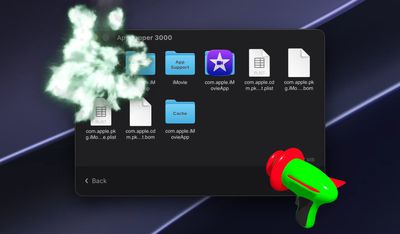
Popular Mac app AppZapper was today revamped with a new design, updated functionality, and a fresh name. AppZapper 3000 offers a quick way to delete Mac apps and their associated files.
AppZapper requires Full Disk Access permission to find files on the Mac. Once installed, you can drag and drop an app into AppZapper and then click on the Zap All button to remove the app and related files with a fun laser gun animation and sound. AppZapper locates and deletes all of an app's files in just a few seconds, and users can choose from four different themes.
AppZapper first launched in 2006, so the new version is debuting on its 20th anniversary. Developer Austin Sarner says the updated version of the app is tailored to macOS security requirements and is better at finding related app files.
The app can be downloaded for free and tested before purchasing. A license is priced at $18 for a single user and $29 for a family pack that allows the app to be used on up to five Macs. macOS 15 or later is required.
MacRumors readers can get a 20 percent discount by using the promo code MACRUMORS when checking out. The discount is available through September 21.
Elon Musk's companies X Corp and SpaceXAI today asked the court to dismiss their claims in a lawsuit filed against Apple in 2025, reports Reuters. There was no explanation for the dismissal request or mention of a settlement. The filing also does not ask for the dismissal of claims against OpenAI.
Plaintiffs have resolved their claims in this Action against Defendant Apple Inc. ("Apple"). Plaintiffs accordingly move under Federal Rule of Civil Procedure 41(a)(2) to dismiss with prejudice their claims against Apple. Apple does not oppose this Motion. For the avoidance of doubt, Plaintiffs do not seek to dismiss any of their claims against Defendants OpenAI Foundation (f/k/a OpenAI, Inc.); OpenAI, L.L.C.; and OpenAI OpCo, LLC.
A dismissal with prejudice will prevent the claims from being refiled in the future.
The lawsuit accused Apple and OpenAI of conspiring to "ensure their continued dominance" in the AI market. The lawsuit suggested Apple was "blindsided by major innovations in AI," leading it to team up with OpenAI in a "desperate bid to protect its smartphone monopoly."
Musk's companies complained that Grok did not have the same level of iOS integration as ChatGPT did through Siri, and accused Apple of deprioritizing the apps of competing generative AI chatbots and X in the App Store. The lawsuit asked for billions in damages for Apple's alleged stifling of AI industry innovation.
Apple said it was "widely known that [it] intends to partner with other generative AI chatbots" in the future, and said the claims were based on "speculation on top of speculation." Apple asked the court to dismiss the lawsuit back in October, but the request was denied.
Note: This discussion thread is located in our Political News forum with special rules.
Apple today filed its opening merits brief with the Supreme Court as it prepares to fight the contempt ruling that forced it to change its App Store rules. Apple is asking the Supreme Court to reverse or vacate the contempt order, which would return the App Store to its pre–2025 rules.
The Supreme Court filing is part of Apple's ongoing legal battle with Epic Games, which has gotten more and more complicated since it kicked off in 2020. Apple largely won the original ruling because it wasn't found to have violated antitrust law, but Yvonne Gonzalez Rogers, the judge overseeing the case, ordered Apple to relax its anti-steering rules and let developers link to alternative purchase options in apps.
Apple complied, but charged a 12 to 27 percent fee on link-outs, and few developers adopted the system. Epic went back to Gonzalez Rogers and said Apple violated her injunction, and she agreed. In April 2025, she found Apple in contempt of court and barred the company from collecting any fees on purchases made through links in the U.S. App Store.
Apple changed its App Store rules to comply with the new ruling but appealed. The Ninth Circuit Court of Appeals upheld the contempt finding, and Apple appealed to the Supreme Court.
Today's brief repeats Apple's main argument and asks the Supreme Court to decide whether a court can hold a party in civil contempt for violating the "spirit" of an injunction when the injunction does not address the conduct the contempt ruling is based on.
The first injunction from Gonzalez Rogers had no mention of the fees Apple was or wasn't allowed to charge, but both the original contempt ruling and the court of appeals agreed Apple had violated the "spirit" of the injunction when it charged fees that were too high.
Citing cases dating back to 1885, Apple argues the Ninth Circuit broke with precedent when it said Apple could be held in contempt for violating the spirit of an injunction. Apple says it cannot be held in contempt because there was no clear and unambiguous violation of the injunction's wording. Apple repeatedly points out the original injunction was just 75 words long.
The Supreme Court is expected to hear the case in 2027. Epic Games will submit its response brief in November, and then Apple will be able to submit a reply brief.
While Apple waits for the Supreme Court, it will be going back to district court for fee calculations that would be implemented if the higher court does not toss out the contempt ruling and resulting anti-steering order. Apple was ordered back to district court because the appeals court found the district court's total ban on commissions went too far, and sent it back to set a reasonable fee. Apple attempted to delay the proceedings but was unsuccessful.
Note: This discussion thread is located in our Political News forum with special rules.
X's XChat app is no longer available from the App Store. The app does not come up when searching for it in the App Store, and clicking a link to it on the web returns an unavailable error.
XChat allows X users to communicate with one another using end-to-end encryption and disappearing messages. The app's description says it is a "private, focused space built for conversation." XChat launched in April 2026.
Update: It appears X removed the XChat app from the App Store, but hasn't yet said why.
Apple's first foldable iPhone, with a book-style design featuring a 5.4-inch outer display and a 7.6-inch inner display with a minimal crease down the middle.



 Apple TV and HomePod mini orders continue to face extended shipping delays on Apple's online store in the U.S., amid endless rumors about
  Note: MacRumors is an affiliate partner with some of these vendors. When you click a link and make a purchase, we may receive a small payment, which helps us keep the site running.
 Note: MacRumors is an affiliate partner with some of these vendors. When you click a link and make a purchase, we may receive a small payment, which helps us keep the site running.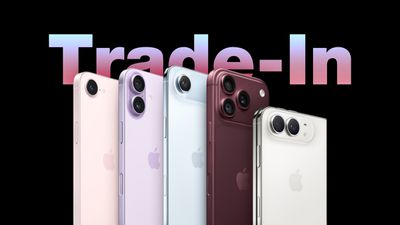
 Apple Wallet car keys are coming to three more vehicle brands, including Lincoln, Lucid Motors, and China's Freelander, according to code uncovered by MacRumors contributor Aaron Perris. However, the code does not provide a timeframe for availability.

 12 years ago today, Apple published a web page with one job: to make a U2 album go away. On September 9, 2014, at Apple's iPhone 6 event, Tim Cook revealed that "Songs of Innocence" would be given to every iTunes customer for nothing. The album was directly linked to accounts, and devices set to "download automatically" got it without asking.