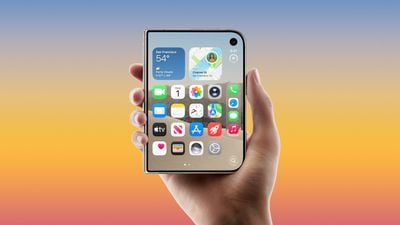
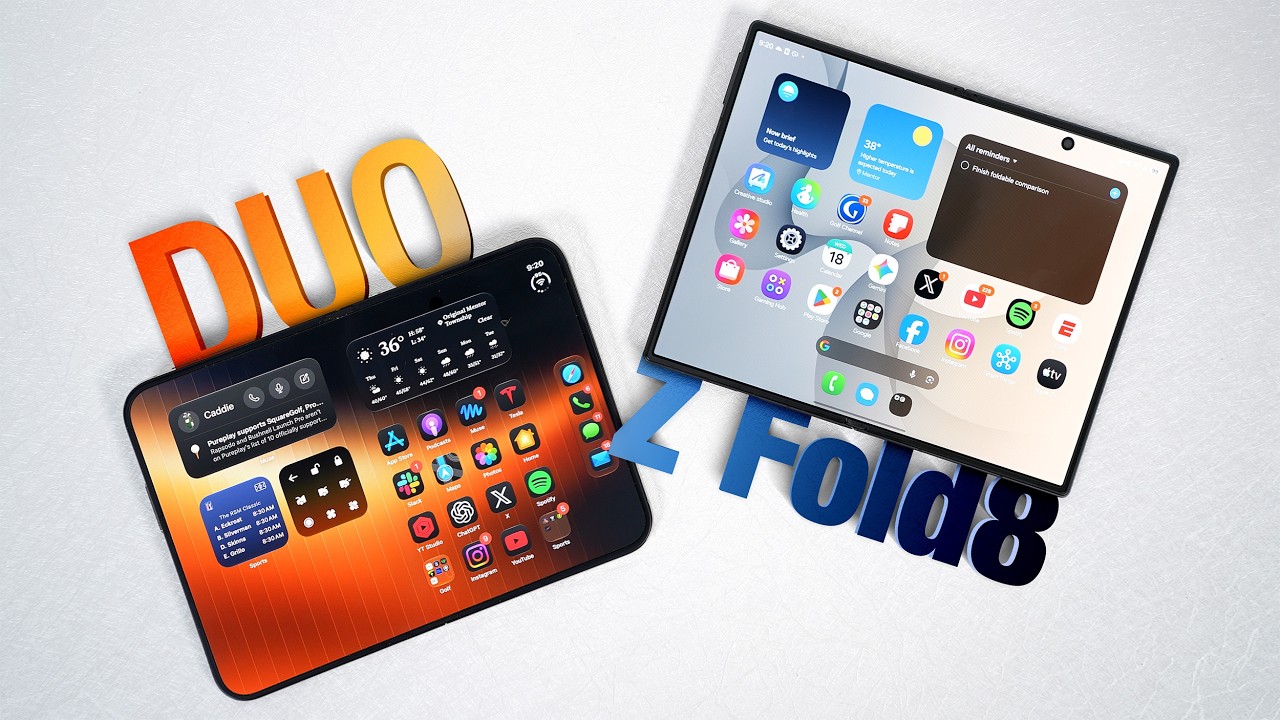
With iOS 27.3 beta 2, Apple is partially solving a common iPhone Duo complaint. There's a new feature for unlocking the device with the front camera, which we've tested out.
Unlock with Front Camera is a new option in iOS 27.3. If you turn it on, you can quickly unlock the iPhone Duo when it's closed.
It's a feature that only works at the Lock Screen when the Duo is closed, so you can't use it for authenticating Apple Pay purchases or inserting logins and passwords from the Passwords app. You also need to use Touch ID or a passcode for unlocking the iPhone Duo when it's unfolded.
Face unlock can be turned on in the Touch ID & Passcode section of the Settings app, and it works fairly well when it's active. You aren't going to have much luck in a dark room because it's just using the standard front camera, but if the lighting is decent, you can unlock without Touch ID.
Apple also added a "Close to Lock" feature that locks the iPhone Duo when you close it instead of transferring content to the outer display.
These features are in the latest developer beta and will be available to everyone when iOS 27.3 is released in December.
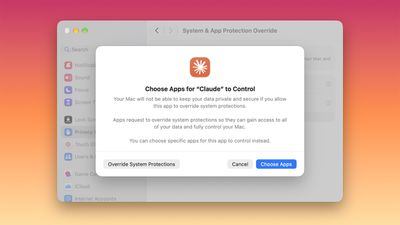
With the latest macOS 27.3 beta, Apple is giving Mac users more control over the data they share and the access they give to apps, including apps that use AI agents. Apple today informed developers about upcoming changes to the Full Disk Access API and the Device Control and Data Access API.
The current Device Control and Data Access setting will be split into two options that make it clearer to users what they're permitting. The setting is becoming System & App Protection Override and Accessibility.
There will be a single method for granting permissions by selecting the app requesting access from a list.
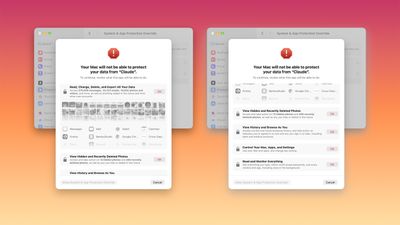
Apple will encourage users to grant access to just the specific apps (in System & App Protection Override) or folders (for Full Disk Access) required for workflows.
Apple will better inform users about the data apps will receive access to or control over if full permissions are given.
Users will have an option to configure apps to ask each time for required access rather than granting an app unrestricted access.
There will be a transparency indicator when a requesting app is controlling another app with System & App Protection Override. The indicator will be displayed in the Mac menu bar.
Apple says developers will need to adjust user onboarding and make sure apps can "gracefully handle" access to a limited set of folders or apps when using the APIs being overhauled.
Apps that use Full Disk Access for disk backup or the new Accessibility settings for assistive technologies can request entitlements to offer the same experience for new installations that they offered before macOS 27.3.
Right now, known apps keep their current experience without an entitlement, and app permissions granted by users prior to macOS 27.3 will remain in effect. Mac users will see these changes when approving new app permission requests, and entitlement details are coming soon.
Last month, Apple said it would add "additional controls" for Full Disk Access on Macs because of the risks posed by AI agents. Apple warned that some developers are using Full Disk Access in ways that can put users at risk, exposing files, mail, messages, browsing history, and more.
Today's iPadOS 27.3 and macOS 27.3 betas expand Apple Intelligence support in China to the iPad and the Mac.
Apple Intelligence features debuted in China on the iPhone in the first iOS 27.3 beta, but they weren't initially available in iPadOS 27.3 or macOS 27.3. The Shanghai Cyberspace Administration said on November 9 that Apple had registered to bring Apple Intelligence to tablets and laptops.
Developers in China can test Apple Intelligence after updating to the second iPadOS 27.3 and macOS 27.3 betas. Apple Intelligence is available on Macs and iPads with an M-series Apple silicon chip, as well as the A17 Pro and A20 Pro iPad minis.
Apple Intelligence in China does not include Siri AI, the Siri app, or the newer Apple Intelligence features in iOS 27, but it does include many of the features that debuted in the U.S. starting in iOS 18.1. Siri, Writing Tools, and other features integrate with Alibaba's Qwen model, similar to the ChatGPT integration in other countries.
Here's what's live:
Live Translation for Messages, FaceTime, and the Phone app. Live Translation also works with AirPods 4 with ANC, AirPods Pro 2, and later models.
Writing Tools for rewriting, proofreading, and summarizing text. With Qwen integration, users can also generate text.
In iOS 27.3, iPadOS 27.3, and the other 27.3 updates, puzzles are expanding to Australian, UK, and French-Canadian Apple News+ subscribers.
Apple News+ subscribers in Australia get access to a daily quick crossword, crossword mini, Sudoku, Quartiles, and Emoji Game. UK subscribers get the daily quick crossword, crossword mini, and Sudoku, while French-Canadian subscribers can play Quartiles and Emoji Game.
Quartiles and Emoji Game are original Apple puzzles. Quartiles requires players to form words by combining letter tiles, and Emoji Game lets subscribers complete phrases using a selection of emoji.
Prior to now, Apple News+ puzzles have been limited to the U.S. and English-language subscribers in Canada. The games can be accessed in the Puzzles section under the Following tab in the Apple News app in iOS 27.3 beta 2. The update will launch to the public in December.
Registered developers can download macOS Golden Gate 27.3 by opening up the System Settings app, clicking on General, selecting Software Update, and opting in to macOS Golden Gate betas.
macOS 27.3 includes Vertical Tabs and an Adaptive Dark Mode for Safari, along with a more capable version of Siri AI that can complete more actions in Apple's own apps.
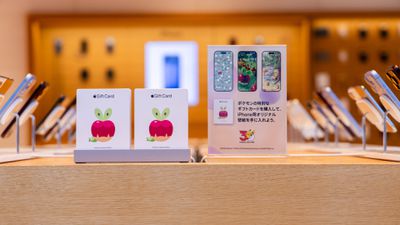
Apple has announced that it is celebrating the 30th anniversary of Pokémon in a variety of ways starting today — primarily in Japan.
First, Apple is selling Pokémon Special Edition gift cards featuring Applin until November 30 at all Apple Store locations in Japan. The cards can be loaded with ¥1,000 to ¥250,000, and there is a limit of three per customer while supplies last.
Video podcast episodes from the Podcasts app are coming to the Apple TV app in iOS 27.3, iPadOS 27.3, and the other 27.3 software updates.
Apple TV app users will be able to discover and watch their favorite podcasts on the iPhone, iPad, Mac, Apple TV 4K, supported smart TV sets, set-top boxes with the Apple TV app, and CarPlay-enabled vehicles. Podcasts will be free to watch, with no Apple TV+ subscription required. Podcasts that require a paid subscription will not be included in the Apple TV app.
Developers can access podcast video episodes in Apple TV with the second developer beta of iOS 27.3 that was released today.
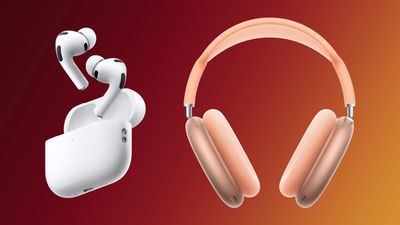
Early Black Friday deals are kicking off this week, and the AirPods Pro 3 are finally available at the low price of $179.00, down from $249.00. We're tracking this deal, plus a solid markdown on the AirPods Max 2 at Amazon.
Note: MacRumors is an affiliate partner with Amazon. When you click a link and make a purchase, we may receive a small payment, which helps us keep the site running.
Amazon currently provides a November 21 delivery estimate for free shipping options, but Prime members should be able to get it with same-day delivery in many locations. The AirPods Pro 3 haven't been on sale at this price since Prime Day in October.
For the AirPods Max 2, Amazon has every color on sale for $449.00, down from $549.00. We expect steeper discounts to hit the AirPods Max 2 at some point this Black Friday season, but as of now this $100 discount has been a consistent sale all month long on Amazon.
If you're on the hunt for more discounts, be sure to visit our Apple Deals roundup where we recap the best Apple-related bargains of the past week.
Deals Newsletter
Interested in hearing more about the best deals you can find this holiday season? Sign up for our Deals Newsletter and we'll keep you updated so you don't miss the biggest deals of the season!
The second beta of iOS 27.3 includes a new "Ask About Page" feature for Siri AI.
Siri can see the entire content of a webpage, including content that isn't currently in view on the screen. If you're looking at a website with a long menu, for example, you can ask Siri to surface all of the options that are gluten-free. Or if you're getting ready for a trip, you can ask Siri to read through a long guide and put together a packing list based on what's on the page.
Right now, Siri has on-screen intelligence, but it relies on what's in view. Access to a full webpage will make Siri more useful for summarizing content.
In the first beta of iOS 27.3, Apple expanded what Siri can do in and across apps like Calendar, Files, Finder, Journal, Mail, Maps, Messages, Music, Notes, Photos, Preview, Reminders, Safari, Shortcuts, and Weather.
In Mail, for example, Siri can unsubscribe you from mailing lists and undo recently sent messages. In Weather, Siri can add locations to your weather list, or control weather notifications. In Safari, Siri can clear browsing history, manage tabs and windows, save articles to a Reading List, and close duplicate tabs. In Files, Siri can organize content, delete files you haven't accessed for a set period of time, and more.
Apple is also allowing third-party integration for Siri AI, so any app will be able to bring its contents and actions directly into Siri AI.
Apple's marketing chief Greg Joswiak today announced that more than 200,000 apps are now optimized for the iPhone Duo, up from 100,000 earlier this month. This refers to apps built with the iOS 27.1 SDK or later, which fill the full width of the iPhone Duo's inner and outer displays and have vertical controls in the status bar.
Apple today added a new option for unlocking the iPhone Duo using the front-facing camera, giving device users multiple ways to access their content. The feature is available in the second iOS 27.3 beta.
The option to unlock with facial recognition is only available on the Lock Screen, and authentication via Touch ID is still needed for Apple Pay purchases, adding passwords and logins, and more.
Unlocking with the camera requires a recent Touch ID or passcode authentication, and Touch ID is required again after about 45 minutes of inactivity. Unlocking with the front camera can be enabled in the settings app under Touch ID and Passcode.
Apple is also adding a new option to lock the iPhone Duo when it's closed rather than transferring content to the front display. The is available under Display and Brightness in the Settings app.
Every Apple device gets a free daily access allowance for Siri AI and Apple Intelligence features that rely on server-side AI processing, such as Image Playground and Clean Up in Photos. When that limit is hit, there will be an option to extend usage with an iCloud+ plan. Here's what will be limited after the daily allowance has been reached:
Siri AI for multi-step, personal context requests that rely on server-side processing, such as asking Siri what time you need to leave from home to make it to a location on time.
Image generation and editing tools, including Image Playground and the AI options in Photos like Clean Up, Extend, and Spatial Reframing.
Workflows and automations in Shortcuts that rely on AFM Cloud and AFM Cloud Pro.
Third-party apps that use Apple Foundation Models in Private Cloud Compute for AI features.
While more complex, multi-step requests will be restricted, basic Siri commands will continue to be available even after a device limit is reached. Examples of basic Siri commands include those with a single ask, such as "set a timer for 30 minutes" or "text Eric I'm on my way."
Apple's existing iCloud+ plans will include higher daily usage for Siri AI and Apple Intelligence, with no change in pricing. If you already subscribe to an eligible iCloud+ plan, you will have higher usage limits. Free limits are per device, not per account, and do not roll over.
More access starts with the 200GB iCloud+ plan, which is priced at $2.99 per month. Users who subscribe to this plan have up to a 2x usage limit. Users who subscribe to the $9.99/month 2TB plan get up to 5x usage. The $29.99/month 6TB plan comes with up to 10x usage, and the $59.99/month 12TB plan offers up to 20x usage. Family members who share a plan will have a shared usage pool.
50GB - No limit increase
200GB - Up to 2x limit
2TB - Up to 5x limit
6TB - Up to 10x limit
12TB - Up to 20x limit
Every Apple device will use the free daily limit first, and when that's reached, Siri AI and Apple Intelligence will use the iCloud+ paid access. In a family group, a device that hits the free limit will start drawing from the shared pool on a first-come, first-served basis. Limits will reset at around 12:00 a.m. in the user's current time zone, and in families, the reset is based on the plan purchaser's time zone.
Each of the four categories has a different limit, and Apple will likely use the beta testing period to refine those limits and make sure people aren't hitting their caps too quickly. Limits depend on feature category, request complexity, and system demand, and they could change over time.
Apple plans to give warnings when people are approaching their limits, and a notification when the limit has been hit. From there, users will be able to purchase additional access through an iCloud+ plan, or wait for their limit to reset.
Apple is not planning to offer additional usage beyond what's available with the 12TB iCloud+ plan at this time.
Apple today seeded the second betas of upcoming iOS 27.3 and iPadOS 27.3 updates to developers, with the software coming two weeks after the first betas were released.
Registered developers can download the betas by going to Settings > General > Software Update and opting in to the developer beta.
iOS 27.3 adds a new Vertical Tabs layout option that moves Safari tabs to the left side of the display. There's also an Adaptive Dark Mode for Safari that can turn light sites darker when Dark Mode is activated.
Siri AI can do more in and across apps with support for actions in Calendar, Files, Journal, Mail, Maps, Messages, Music, Notes, Photos, Preview, Reminders, Safari, Shortcuts, and Weather.
The new Health app is back, the iPhone Duo now supports Reachability, and there's a new Apple Music Selfie Sing feature if you want to capture videos of yourself while you do karaoke. There are more features too, with a list available in our iOS 27.3 beta guide.
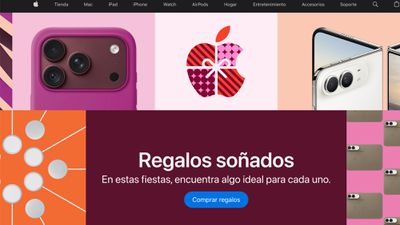
Starting today, Apple is making its U.S. website available in Spanish. Customers who have Spanish set as their language will be able to browse apple.com/us-es by default, and anyone will be able to choose Spanish from the country and language selector at the bottom of the website.
While most of the site will be available in Spanish, the Apple Online Store and Financial Services will be in English only. Customers who visit the Apple Online Store can shop in Spanish by contacting an Apple Specialist by phone.
There's already a U.S. Spanish version of the Apple Support site, so the change to the main website brings it in line with support options.
Alongside new betas of iOS 27.3, iPadOS 27.3, and macOS Golden Gate 27.3, Apple has released the second betas of watchOS 27.3, tvOS 27.3, and visionOS 27.3. The software comes two weeks after the first software betas were released.
Registered developers can download the betas through the Settings app on each device.
Two new Audio Intelligence features are coming to the Apple Watch Series 12 and Apple Watch Ultra 4 in watchOS 27.3. Live Rewind will allow users to double-press the Digital Crown to get a transcription of what was said in the last 15 seconds, while Siri Recap will turn conversations users have had during the day into summary notes.
There's no word on what might be added in visionOS 27.3 or tvOS 27.3. We're expecting the updates to come out in December.
Some owners of Apple's new MacBook Pro with PROLED XDR display say they experience eye strain, headaches, and dizziness when using the laptop, with affected users pointing to the screen's brightness-control system as a possible explanation.
A significant number of complaints have appeared on Reddit, X, and the MacRumors forums since the new models launched earlier this month. The discussions on MacRumors include a dedicated PWM thread, a separate owner poll, and comments in the reviews and display-details threads.
On X, one user said trying the PROLED MacBook Pro in an Apple Store for around 30 minutes left them with a severe headache. The user said they had previously struggled with OLED screens before finding newer implementations tolerable, and called for an option to change the Mac's dimming behavior.
A Reddit user described how reading text, especially against a black background, brought on dizziness and nausea. They said their OLED iPad Pro did not produce the same symptoms. In the main MacRumorsforum thread, a 16-inch PROLED owner reported a headache and mild nausea that began to ease after switching back to a mini-LED MacBook Pro. Another member, posting in the separate poll thread, said they were returning their PROLED laptop for similar reasons after previously having no difficulty with OLED devices.
The suspected issue is pulse width modulation (PWM). An OLED screen produces light through its individual pixels. With PWM dimming, the display changes the time spent at brighter and darker levels during a rapidly repeating cycle. Spending less time at the brighter level reduces the average amount of light reaching the viewer, making the screen look dimmer.
Those fluctuations can occur too quickly to look like an obvious flashing screen, but some people report discomfort with displays that use them. PWM frequency describes how often the brightness cycle repeats. It is different from refresh rate, which is how often the displayed image updates, so a 120Hz ProMotion specification does not tell you the screen's PWM frequency.
Notebookcheck's testing of the 14-inch PROLED MacBook Pro recorded 240Hz flickering whenever brightness was set to 99% or lower, with a measured amplitude of 56%. In other words, the light output fluctuated 240 times per second, and the amplitude describes the size of those fluctuations. The publication warned that sensitive users could experience eye strain or headaches due to the specification.
Mini-LED MacBook Pro displays also use brightness modulation, but Notebookcheckmeasured a much higher frequency of 14,880Hz on the 14-inch M4 Pro model. Such rapid fluctuations are generally less likely to cause discomfort for PWM-sensitive users.
Apple already provides a Display Pulse Smoothing accessibility option on supported iPhones. The setting offers another way to dim the OLED screen at low brightness, although Apple cautions that it can affect display performance under some conditions. macOS does not offer an equivalent control, but Apple could add one in the future.
The OLED MacBook Pro models start at $2,899 for the 14-inch version and $3,399 for the 16-inch version. Apple continues to sell the mini-LED models alongside them.
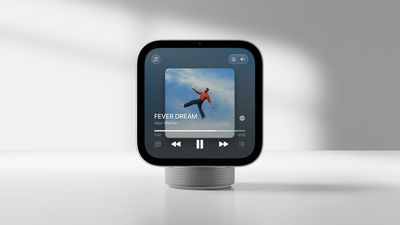
Even though Apple's all-new HomeView smart home display has several bugs, customers ordering the device now might face a long wait for delivery.
HomeView has been available to order since October 13, and deliveries to customers began on November 13. For orders placed today, though, the tabletop version of the HomeView has an estimated delivery timeframe of anywhere from December 16 to January 12 on Apple's online store in the U.S., depending on the color that you choose:
Silver: December 16 - December 23
Space Gray: December 16 - December 23
Starlight: December 23 - January 5
Rose Pink: January 5 - January 12
The wall-mounted HomeView is still available for next-day delivery.
As always, Apple's shipping estimates are based on a combination of supply and demand, and we do not know how much supply is available.
You might still be able to find a tabletop HomeView in person at Apple's retail stores or at select resellers, such as Best Buy.
In the U.S., both the tabletop and wall-mounted HomeView models are priced at $299. Apple sells mounts separately, with pricing starting at $59.95.
Apple is urging Canada to change a proposed law that it says could weaken the privacy and security protections built into its products.
The legislation, Bill C-22, is intended to help police and intelligence agencies obtain digital information during investigations. According to Bloomberg, Apple, Google, and Meta are lobbying for changes as Canadian senators review the bill.
At the center of the dispute is whether companies could be forced to change how their services work to help authorities access user data. The bill would allow the government to require companies to build tools for that purpose, with approval from Canada's Intelligence Commissioner.
It could also require certain providers to keep records about users' connections for up to six months. This metadata would exclude the contents of messages, browsing history, and social media activities.
Lawmakers have already added safeguards. For example, a company could only be required to unlock encrypted data if it supplied the encryption and already has the information needed to unlock it. The bill also says companies cannot be forced to introduce certain security weaknesses into their services.
Apple says those changes do not fully address its concerns. The company welcomed the government's revisions, but told Bloomberg that the bill would still undermine its ability to protect users' data. Apple previously warned that the legislation could let authorities demand backdoors.
Meta, Signal, and Tailscale representatives are scheduled to appear before a Senate committee today. The bill has not yet become law.
Note: This discussion thread is located in our Political News forum with special rules.






 Note: MacRumors is an affiliate partner with Amazon. When you click a link and make a purchase, we may receive a small payment, which helps us keep the site running.

 Apple's marketing chief Greg Joswiak today